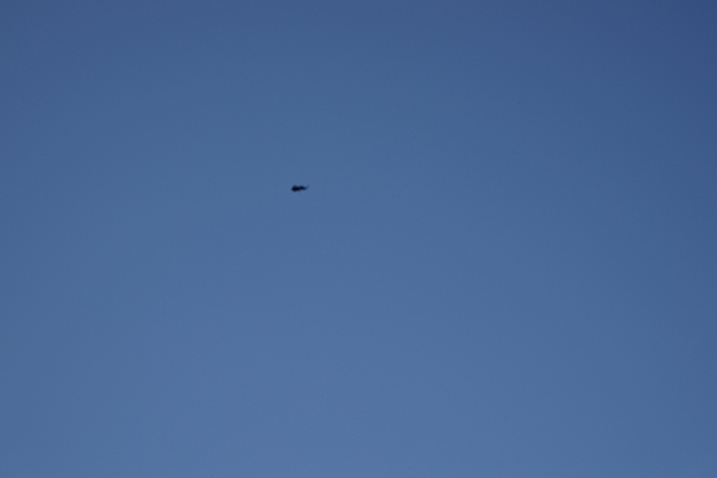
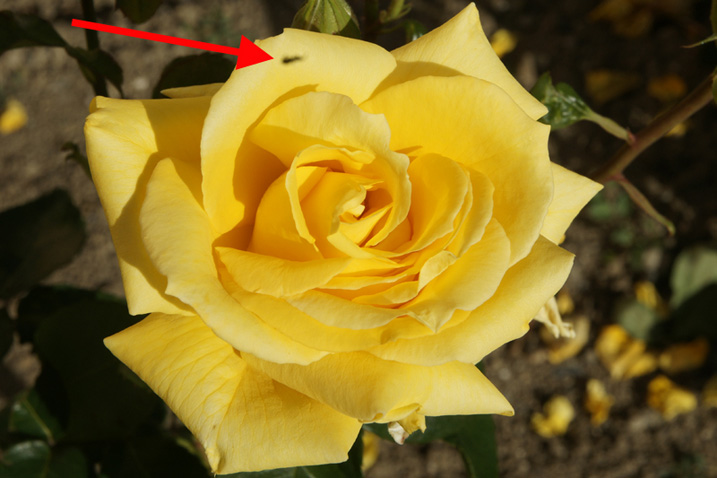
Is it a bird? Is it a plane? No; it’s a bit of muck on the sensor!
[dirtysensor1.jpg]
[dirtysensor2.jpg]
|
by TRA Wouldn’t it be better to use a digital camera? That is a question that only you can
answer, as it depends on your imaging requirements and
your budget. However, here is some information to
consider when making a decision.
There are at least eleven key factors to consider:
There are also other factors, such as
My limited experience with friends’ digital cameras (“Here. You take the pictures for me; your pictures always come out so well!”) is one of constant frustration because of the delay between pressing the shutter and the camera deciding to take the picture. With people shots (or any action shots), the precise moment is crucial. If the camera fires even one second later, the image is probably not worth having, as gestures and candid expressions can be so fleeting. Time was when all digital cameras seemed to have a delay of up to 2 or 3 seconds, which is really quite unacceptable. Many of the newer models are much better, but there is still the delay introduced by autofocus. Writing in November 2015 visitor to this website Paul writes, "my Nikon D810 36mp camera has shutter lag of 0.05 seconds." In my opinion, it seems that the question of shutter delay has essentially been solved with this camera -- but it is still a factor that you will wish to check before buying a digital camera, not least because of the next problem.
Auto-focus problems I have experienced two problems with auto-focus lenses:
Cameras or lenses that hunt for the point of sharpest focus often go to and fro beyond the point of focus and then back before it, then out again, possibly even repeatedly. This is a whole new way of introducing a delay in firing the shutter, as with many of these outfits the camera will refuse to fire the shutter until it thinks that the image is in focus. In my opinion, digital hasn’t yet reached the point where you can even be sure of capturing good candids of the children – though you will know quickly that you didn’t get the shot that you wanted! Of course, you can have that problem with auto-focus lenses on film cameras, too, but why use auto-focus lenses?! I realize that I may sound here “as if I had just come out of Noah’s Ark”, but there really are times when the photographer wants to be in total control of the focus. With a manual focus lens you can pre-focus on a chosen point, and then fire the shutter when the subject reaches that point. This could be for a horse race, a cycle race, a bride walking down the aisle or indeed for many other events. Naturally, auto-focus lenses will not normally let you do this, as essentially you are focussing on nothing that is currently within the image frame. Some of the top DLSRs and even some of the newer smaller digital cameras do have an AF/MF (Auto-Focus / Manual Focus) switch or option – if you can find it in the menu in time not to miss the shot!! I am not talking from a theoretical viewpoint here, but from experience. I do have digital cameras, but usually leave them at home when going on a trip or for an important photo assignment. Actual impossibility of focussing on the desired point of the imageTrying to get a close-up shot at the long
end of a zoom on a top-quality digital camera in 2012, I
even found that the camera refused to focus, even though
I was within the advertised focussing range. The
camera and lens were not faulty; it was
just a limitation of the system. No doubt the next
version of the camera and/or the lens will be
better. But by then, the picture that I wanted to
capture will be long gone. In 2015, with a newer
digital camera, I have found that the camera can’t
focus on interesting cloud formations, as
there is just not enough contrast for it to fix
on. I likewise found this year that when I wanted
to focus on damage to a kitchen work surface, the
camera's focussing system couldn’t
see the defect, and so refused to focus.
This camera and its lenses also does not offer manual
focus as an option. Fortunately, it does allow me
to mount lenses from other manufacturers, and I found
that an old Carl Zeiss Jena 25mm Flektogon in
M42 mount, mounted via an adapter, was ideal for
the job! The lens in question was manufactured in
February 1967, and this particular focal length was
discontinued in August of the same year, but the results
were technically excellent! Image Quality If you must have ultimate image quality and the ability to make massive enlargements, using film as the originating medium is probably still the way to go in 2017. You may choose (like me) to shoot film, but print digitally. If you scan in a “6×6” negative (actually
54mm × 54mm) at 4800 dpi, you will get a file that is
10,488 pixels × 10,488 pixels. This results in a
629.4MB image – about one hundred times the
resolution of many digital SLR files!
Digital technology is improving all the time, but even
at the end of 2017, when a few of the best digital
cameras can generate a 42 MB image, a Pentacon Six frame
scanned as indicated here will give you an image with over
15 times that resolution.
If you are enlarging from such a tiny portion of the negative, I recommend a film of moderate speed, such as the Fuji 160 ISO negative films (which also have enormous exposure lattitude). However, for normal degrees of enlargement (for me, “normal” means at least up to A3 – 11.7 × 16.5" or 297 × 420mm), you should not see any grain at normal viewing distances with correctly-exposed negatives from 400 ISO Fuji film. Resolving power of the film and the
lens New
in November 2015 Of course, scanning resolution
is not the whole story. The quality and resolution
of the top scanners is so good that the resolving
power of the film and of the lens is
probably now the limiting factor in deciding how much it
is possible to enlarge a scanned frame -- or how small
is the area of the film frame that can provide an image
of satisfactory quality. The lens Many (probably most) of the lenses that
are available in the Pentacon Six mount provide a degree
of resolution and correction of possible optical defects
that is so high that in fact the limiting factor is
usually the film itself, not the lenses. I refer
readers to the reports on this website of the results of
tests of most of the lenses. The film The resolving power of the film is
dependent on the film chosen. The general rule is
that the higher the film "speed" (i.e., the sensitivity
of the emulsion), the larger the size of the grain in
the emulsion, and seeing the film grain in a print (or
on a screen) is not normally desirable,
even though it can produce an artistic effect that may
occasionally be wanted. In recent years I have preferred to shoot
with 100 ASA / 21 DIN film (ISO 100/21), when available,
although for my Pentacon Six I currently buy mostly 160
ASA / 23 DIN Fujicolor PRO 160NS film, and take along a
few packs of Fujicolor PRO 400H (400 ASA / 27 DIN, ISO
400/27) for those situations where the light is lower
and using a tripod is not suitable for the type of
photography envisaged (for instance, cityscapes, where
people and vehicles will be moving around). At
massive magnification of parts of the image on a large
computer screen, the difference in grain is
dramatic: the slower 160NS has much finer
grain. However, even for quite large
prints, at normal viewing distances the difference
between the 160 ASA and the 400 ASA films is scarcely
visible, as stated above. 160 ISO film is
sensitive enough to require exposures of approximately
1/125 sec at f/11 in most sunny situations. It
also enables one to use exposures that are easily
hand-holdable (i.e., do not require a tripod) in
overcast weather and even for moderately well-lit
interiors. For darker interiors, rather than using
higher-speed film, I prefer to use a tripod, if
permitted, or to brace the camera against a pillar or
other solid support. (In churches and cathedrals,
when there are few visitors it is often possible to
kneel in a pew near the back of the building and hold
the camera firmly on the pew in front, to get an
excellent and sharp image, even with speeds as slow as
1/4 sec! – and I have never been told off for kneeling
in a church or a cathedral!!) I would point out that even though most
digital cameras offer a vast range of sensitivity
settings, for most digital cameras -- even in
2021 -- the image quality deteriorates markedly
very soon after the 400 ASA setting.
I refer readers to the detailed reviews of digital
cameras in the photographic press and on the internet,
where they will see the truth of this (naturally, with
variations of detail, depending on the camera
manufacturer and price range). Scanning resolution When scanning an image it is wise to
consider:
In the light of these factors, it may not
be necessary or even desirable to use the maximum
resolution of the scanner, as many of the top scanners
can easily produce massive files that occupy large
amounts of disc space and slow down processing, without
providing any visible improvement in the quality of the
final image. The scanning resolution numbers given
above are therefore theoretical
maximum-possible sizes for suitable film types.
The best way to find out what is the best resolution to
set the scanner at is by experience
with the film and the scanner. The focal length multiplier effect Also bear in mind that even Medium Format digital cameras have sensors that are not “Full Frame”: instead of a 56mm×56mm image you get something that is at most 48mm×48mm, and with many Medium Format backs substantially less than this. This has an impact on all the lenses that you use, effectively making them appear to have a longer focal length. This is especially a problem with wide angle lenses, where a 40mm ultra wide angle may provide coverage on a digital sensor equivalent to a 55 or 60mm lens on a full 56mm×56mm film frame – and in most cases with Medium Format equipment you will not find a wider angle lens available to give you the angle of view that you were expecting. This is in particular a problem for shots of interiors, but can also be a problem for landscapes and other types of photography. The same applies with the more commonly-purchased digital SLRs, which are not Medium Format. In fact, very few even have a sensor that is 24mm×36mm, which is now commonly referred to as “full frame”, i.e, equivalent to the full frame size of 35mm film cameras. But most DSLRs and mirrorless digital cameras have much smaller sensors than this, with various dimensions commonly available, depending on the manufacturer. Again, the smaller sensors especially have the effect of making your wide-angle lenses appear less wide (which is normally a disadvantage) and your telephoto lenses longer (which is normally an advantage). Of course, to every problem there is a solution, and much wider-angle lenses are becoming available for cameras with smaller sensors – but I really would advise that you check on prices before committing yourself to a system. One can easily end up facing a bill of between £1,000+ and £2,000 for a high-quality wide-angle lens for a digital camera from one of the leading manufacturers. Speed of turn-round Digital images give you of course an almost-instant turn-round, though it is not quite as instant as you think, if you want actual pictures on paper. It does take time to
Cost A digital back for a Medium Format camera such as the Hasselblad would currently cost you in the region of US$20,000, and even with this the image quality would be way below what you can achieve by shooting fine-grain film in a Pentacon Six and then scanning it into your computer. Using the mixed film/digital route is not a zero cost alternative, but you probably already have a computer and a printer. A digital camera – even a 35mm one – may give you the quality that you need, but that won’t be in the same league as what you can get with film. And even a 35mm digital SLR with a full-sized sensor will also cost you a lot more than a Pentacon Six. Who is in control? and What is the frustration factor? In 2012 a neighbour and good friend of mine enthused about his new digital camera, and insisted that I try it out. Naturally, I was delighted to do this. It was the latest model of one of the top-name digital compacts, with a 10 point something megapixel sensor and an 18× optical zoom. I took a series of pictures in my studio with it, and here are my conclusions: 1) It is capable of some good results, so long as the image is not displayed or printed too large, and subject to the other factors indicated below. 2) Getting the right framing is difficult because:
4) Because of the tiny sensor and the extremely short focal length that is consequently necessary for the lens, differential focus is impossible. For instance, in a portrait, the background will be as sharp as the face, which is usually the opposite of what is desirable. 5) The manual says that at some settings, “straight lines near the edge of the image may appear curved, or unexpected colours may appear. This is not a fault”!! Well, that’s what experienced photographers call barrel distortion, pin-cushion distortion and chromatic aberrations or colour fringeing! 6) Down-loading the pictures to the computer and converting them from raw is complicated and tedious – no batch conversion from raw is available, and following the on-screen instructions generates error messages. There are work-arounds, but they do not appear to be documented. Doing this processing is definitely not an enjoyable experience. 7) The main difference between this up-market state-of-the-art digital camera and a Pentacon Six is that with the Pentacon Six the photographer is in control and can easily control framing, shutter speed, aperture, focus, depth of field/differential focus and other factors that are crucial to the final image. Of course, the Pentacon Six is bigger and heavier, and you have to wait until the film is processed to see your results. But in most situations what counts ultimately is the quality of the image. And here, the Pentacon Six wins hands down. Conclusion: Not only do I enjoy the results I get from the Pentacon Six, I also enjoy the process of using it. Neither could be said of my experience with this expensive digital camera, so why use it? Sensor dirt For the flexibility and quality that you seek, if you do buy a digital camera, you will probably want a “DSLR” – a digital Single Lens Reflex. After all, only an SLR will enable you to change lenses and build up a system that will enable you to go from extreme wide-angle to powerful telephoto, not to mention tilt, shift and macro work. Many point-and-shoot digital cameras do not even let you see through the lens. But after you have bought your DSLR you will discover a new problem: dust on the sensor. No matter how carefully you change lenses, dust – and sometimes remarkably large bits of fluff and muck – will get into the throat of your camera, and when they are there, the electrical charge on the sensor will draw that dust, fluff and muck onto the delicate and highly-expensive sensor, where it will stick! You can dust the rear of the lens before putting it on, point the camera downwards while changing the lens, only change lenses indoors – or anything else! – but sooner or later, dirt will settle on your sensor! Some experts explain that the action of changing the focal length of some digital zoom lenses acts like a powerful pump to pull dust into the lens and from there into the camera. If (sticky!) pollen gets onto the sensor, getting it off is going to be a big problem. Like me, you may never have experienced this problem with a film camera, but with a digital SLR it will appear. Worse, you are unlikely to see the dust, muck and fluff when you view the images on the camera’s screen; you will first see it on all your pictures from a given session, once you have downloaded them onto your computer. Then you can have many happy hours, trying to clone them out! Why haven’t you had this problem with film SLRs? Well, each time you advance the film, you effectively get a brand new “sensor” for the next image! Of course, if your camera has dust in it, this can scratch the film, but:
|
|
Is it a bird? Is it a plane? No; it’s a bit of muck on the sensor! [dirtysensor1.jpg] |
[dirtysensor2.jpg] |
||
| In these two images, the dirt can be cloned out, but in other images where it was on a person’s face or another area of detail, correcting the damage was time-consuming, difficult and sometimes not entirely satisfactory. Don’t be surprised if each time you fire the shutter on your digital SLR you find yourself asking, “Will this picture be spoilt by muck on the sensor?” | |||
| Dead Pixels
I am grateful to a
visitor to this website for bringing this to my
attention (in February 2011). He writes: As indicated above with regard to dirt on the sensor, dead pixels will affect every picture. I could say that a film fault would only affect one image - but I don’t remember ever experiencing such a film fault, in decades of photography. Not surprisingly, this visitor has recently bought a Pentacon Six and a range of lenses. Viewfinder Perhaps up to a third of digital cameras by model have a viewfinder, but by number of cameras sold - if we are to judge by observation of people taking pictures in public places - over 90% do not have a viewfinder. “So what? Why do you need a viewfinder?” you may ask. Here are a few reasons. No doubt you will be able to think of more. Composition Visibility of the image Focussing your eyes
The camera with the separate
viewfinder has a couple of advantages and
a couple of problems:
The digital SLR (Single-Lens Reflex) has all the advantages of SLR cameras. It has a viewfinder that looks through the lens and enables you to check composition, focus etc. Many of these are great cameras, but have you noticed a couple of things?
One of the superb advantages of Medium Format cameras is the possibility of differential focus. This means concentrating the attention of the viewer on that part of the image selected by the photographer as the intended focus of attention, by skillfully throwing other parts of the image out of focus. To achieve this, the lens needs to combine two characteristics:
The problem is this:
Differential focus under the total control of the photographer is virtually essential for most portraits, and also for many other types of photography. (You can read more about differential focus here and here.) So, you could solve all
these problems by going out and buying a medium format
digital camera. But have you seen the price of a
Hasselblad H4D lately? I can see one “on offer”
right now for GBP27,666.00 - not including a
lens! Or you could buy a Pentacon Six
- with most of the lenses you could ever
need or want - for less than a tenth of this
price!
The move “back” to film We might speak of a move “back” to film – but there is a whole new generation of young photographers who have never used film, who are now discovering the joys and advantages of this medium. Even on a digital photo forum I have seen in recent days requests for information on how to process film, and the suppliers are still out there, selling chemicals, thermometers, developing tanks, etc. Alternatively, of course, you can do what the majority of photographers have done for more than a century: shoot film and let a lab do the processing. Pentacon Six and digital! So perhaps you should go for a Pentacon Six and digital. This could be the best way forward. Please see the next page. |
To go back to the Frequently-asked Questions front page, click here.
To contact me, click here.
© TRA November 2005 Latest revision: February
2024